




Chat with us, powered by LiveChat

Phishing Doesn’t Need a Hack.
It Needs a Click.

Phishing attacks target your team through deceptive emails, fake login pages, malicious links, and social engineering. Lightspeed Solutions helps protect your users, credentials, data, and business systems.

THE REAL IMPACT

Phishing Attacks Are Still One of the Easiest Ways In.

Phishing remains one of the most common ways attackers steal credentials, compromise accounts, and gain access to business systems. One convincing message can create serious risk.

confused user icon

60%

Of breaches involve a human element

Source: Verizon DBIR 2025

clicking icon

33.1%

Of users were likely to click a phishing test before training

Source: KnowBe4 2025

White dollar sign icon centered on a solid purple background.

$4.4M

Average global cost of a data breach

Source: IBM 2024

Purple stylized brain icon with pixelated edges on a white background.

82.6%

Of phishing emails now leverage AI-generated content

Source: KnowBe4 2025

Common Types of Phishing Attacks
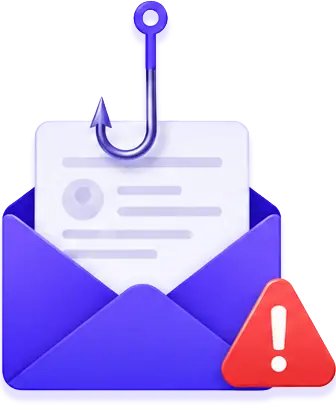
Email inside an envelope hooked by a fishing hook with a red warning triangle indicating phishing.
Prevent

Mass emails that use urgency or curiosity to trick users into clicking malicious links or downloading attachments.
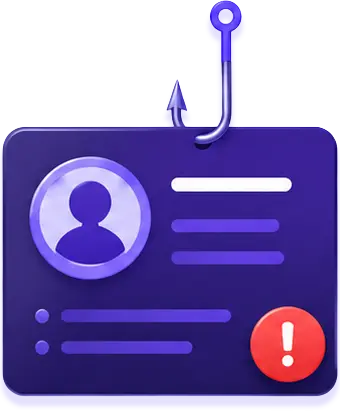
ID card with profile icon and exclamation mark caught on a fishing hook symbolizing spear phishing.
Spear Phishing

Personalized attacks targetting specific individuals using information gathered about them or your organization.
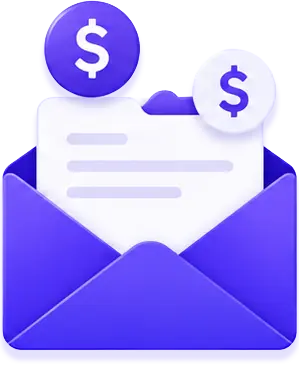
Purple envelope with a white letter and floating dollar sign icons above it.
Business Email Compromise

Attacks impersonate executives or vendors to trick employees into sending money or sharing sensitive information.
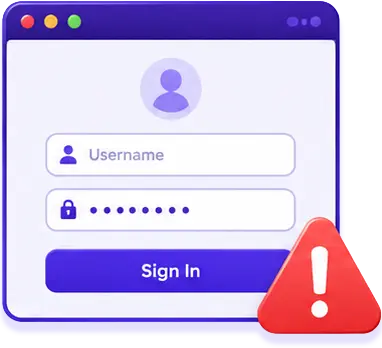
Login form with username and password fields and a red warning triangle with an exclamation mark.
Fake Login Pages

Deceptive websites that look real and steal credentials when users try to sign in.

Dashboard mockup
OUR APPROACH

Phishing Protection That Covers People, Email, and Access.

We combine advanced email security, user training, and rapid response to stop phishing attacks before they cause real damage.
Shield icon
Prevent
Block suspicious emails, malicious links, and known phishing attempts.
training graduation cap icon
Train
Help employees recognize scams, fake login pages, and social engineering tactics.
Purple pixelated icon shaped like a telephone handset on white background.
Detect
Monitor for compromised credentials and suspicious account activity.
White lightning bolt icon centered on a solid purple background.
Respond
Contain threats quickly before they lead to data loss or ransomware.
Purple shield icon with a white exclamation mark in the center.

Phishing attacks can lead to stolen passwords, account takeovers, wire fraud, malware infections, and ransomware.

Early detection, smart protections, and employee awareness are your best defense.

READY TO REDUCE PHISHING RISK?

Let’s Stop Phishing Before It Reaches Your Team.

Get a free consultation and see how Lightspeed Solutions can help protect your users, inboxes, credentials, and business systems.

Stronger email security that stops more threats.
Interactive training that changes user behavior.
Fast response that limits damage and downtime.
Check - Elements Webflow Library - BRIX Templates

Thank you

Thanks for reaching out. We will get back to you soon.
Oops! Something went wrong while submitting the form.

Frequently Asked Questions

What is phishing?+
Phishing is a cyberattack where criminals use deceptive emails, text messages, websites, or phone calls to trick people into sharing sensitive information, clicking malicious links, downloading malware, or giving away login credentials.
How do phishing attacks usually work?+
Most phishing attacks impersonate trusted companies, coworkers, vendors, or internal systems. The message often creates urgency, asks the user to click a link, open an attachment, approve a request, or enter their username and password on a fake login page.
Why are businesses targeted by phishing attacks?+
Businesses are targeted because employee accounts can provide access to email, financial systems, customer data, cloud apps, and internal networks. Cybercriminals often use phishing as the first step before launching malware, ransomware, credential theft, or payment fraud attacks.
Can email security stop every phishing email?+
Email security can block many phishing attempts, but no tool catches everything. Strong phishing protection should include email filtering, security awareness training, multi-factor authentication, credential monitoring, and rapid response procedures.
What are signs of a phishing email?+
Common signs include urgent language, suspicious links, unexpected attachments, spelling errors, unusual sender addresses, requests for passwords, payment changes, gift cards, or login verification. Some advanced phishing emails look very convincing, so employees should be trained to verify anything unusual.
What should I do if an employee clicks a phishing link?+
Immediately disconnect affected devices if needed, reset exposed passwords, review account activity, revoke suspicious sessions, and contact your IT or cybersecurity provider. Fast response is important because attackers may use stolen credentials quickly to access email, cloud apps, or internal systems.